 little ummah cards
How to put Qur'an on a Yoto card
Putting recitation on a Make Your Own Yoto card, from choosing the recording to linking the card, and what to check first.
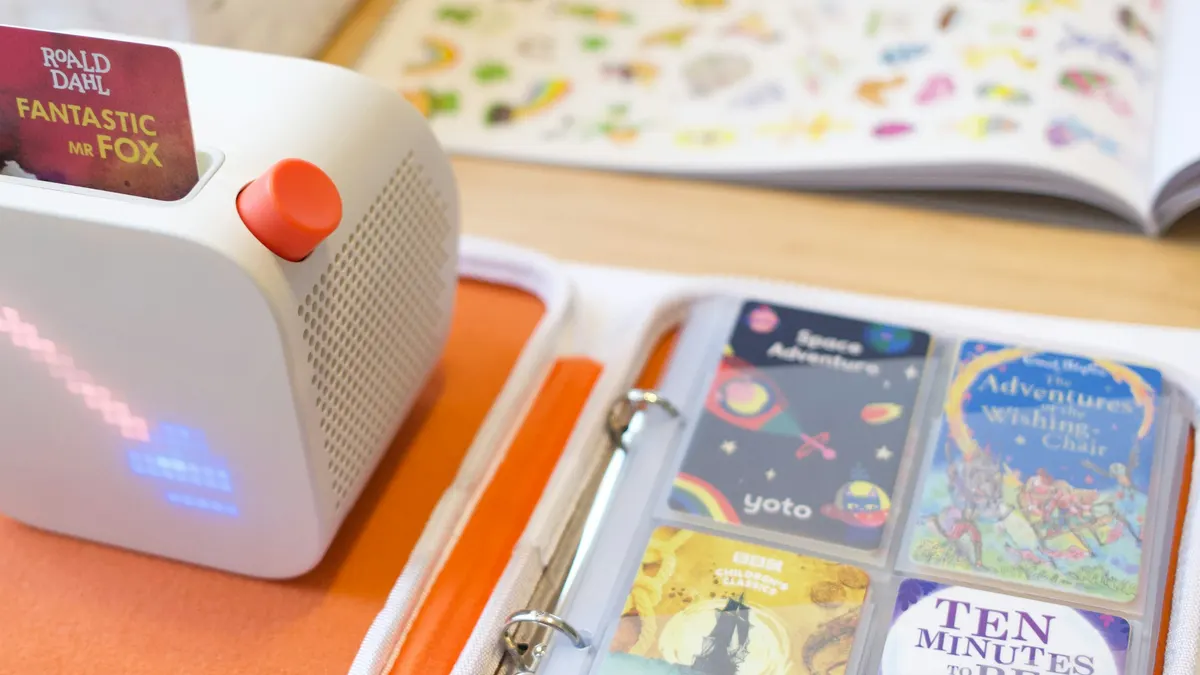
A Make Your Own card will hold whatever audio you give it, and for a lot of families that's the easiest way to put the Qur'an their child is learning into their child's own hands. It takes about ten minutes the first time. Most of that is choosing the recording, and that's the part worth slowing down for.
Choosing the recitation
Start with who is reciting. We only list recitation by a known reciter or a qualified teacher, and it's a good rule at home too, because a child copies exactly what they hear. Listen to the whole track before it goes on the card. Some recordings that sound plain at the start have a soft backing track or a sound effect further in, and once it's on a card your child will hear it every night.
Check that you're allowed to use the recording as well. Plenty of reciters and publishers share their audio for personal listening, but the terms differ from one to the next, so read them. Keep the card for your own family rather than sharing the playlist publicly.
Give each surah its own track and name the track after the surah. Your child can then skip straight to the one they're learning and press play again to hear it twice. Many families start with the short surahs at the end of the Qur'an and add a new one as each is learned.
Making the card
In the Yoto app:
- Go to Make Your Own and start a new playlist. Give it a name your child will recognise.
- Add your audio files, one surah per track, in the order you'd like them played. Check the track names before you save.
- Open the playlist in your library, tap the three-dot menu and choose Link to a Card. Put a blank Make Your Own card into the player and tap Link to confirm. Once the player shows a green tick, take the card out and put it back in to play it.
Keep the player on Wi‑Fi and charging while the audio downloads. Once it has, the card plays anywhere, including the car. You can change what's on it whenever you like, which helps when your child moves on to the next surah.
If you'd like to see how a card built this way feels before you make your own, Surah Al-Fatihah recited by Maher Al Muaiqly is on the site with each ayah as its own track. Your child can press play on one ayah, hear it again, and move to the next only when they're ready. It goes into your Yoto library in one tap, free.

For the surahs after that, a Make Your Own card is still the way, and our standard makes a fair checklist for whichever recording you choose. We add recitation to Qur'an as we check it.